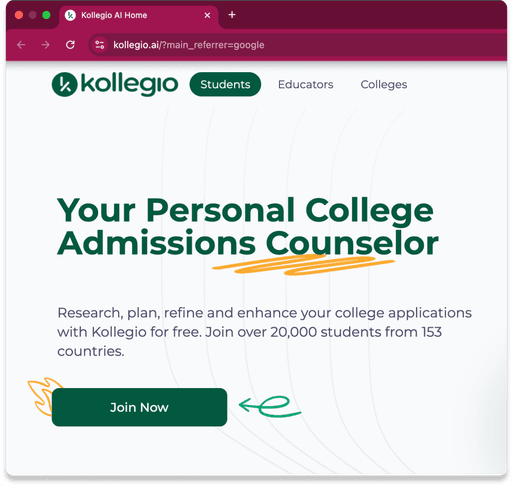
Role: For a Stanford class, I was paired with Kollegio's founders to identify and improve one of the platform's features.
Company: Kollegio, a platform that helps users prepare for college applications using AI counseling (https://app.kollegio.ai/).
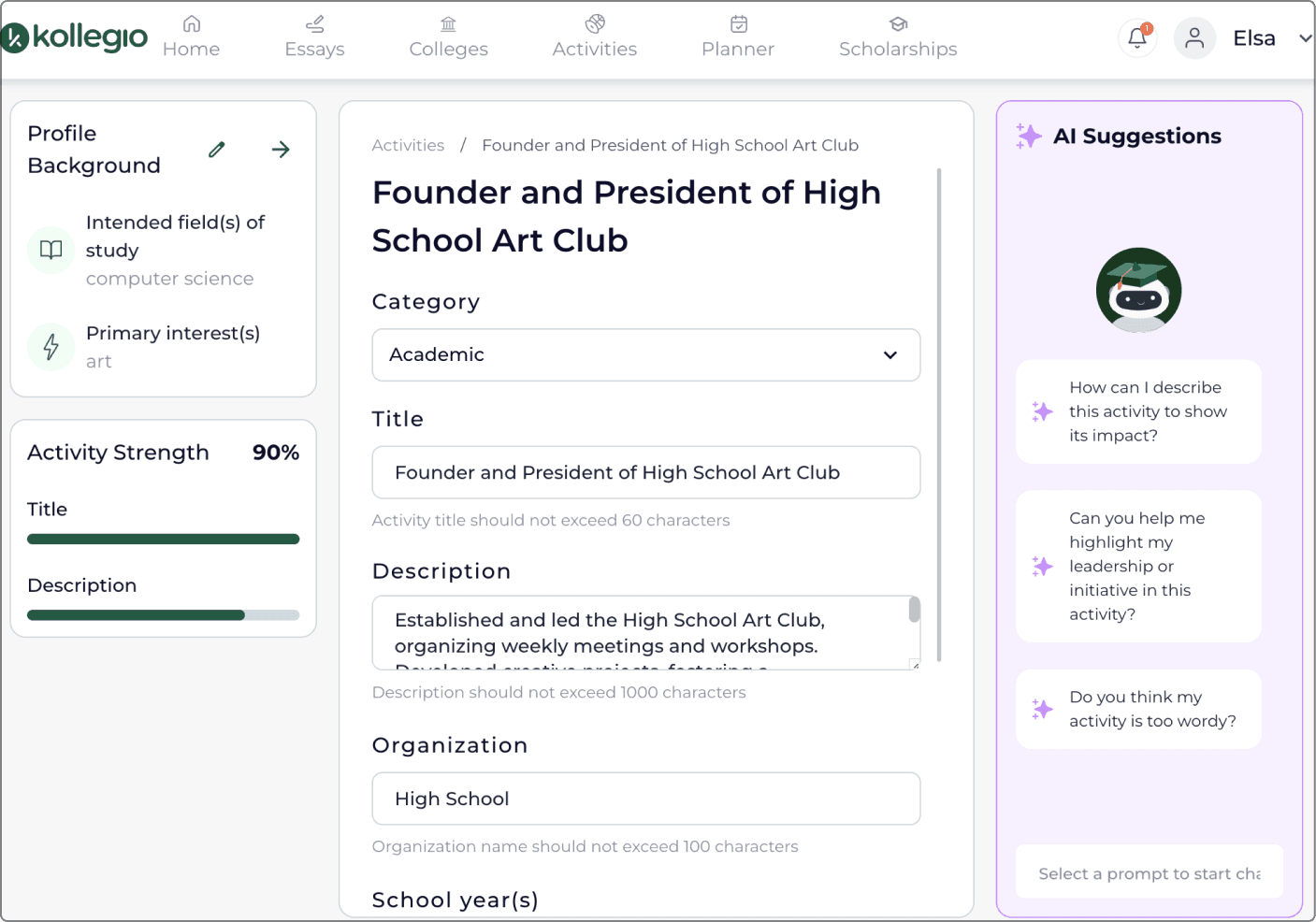
Feature: Evaluating Extracurricular Activities
Focus: High school students applying to colleges using a desktop interface.
Timeline: 5 weeks
Problem
Lack of Guidance
Solution
Clear Action Items
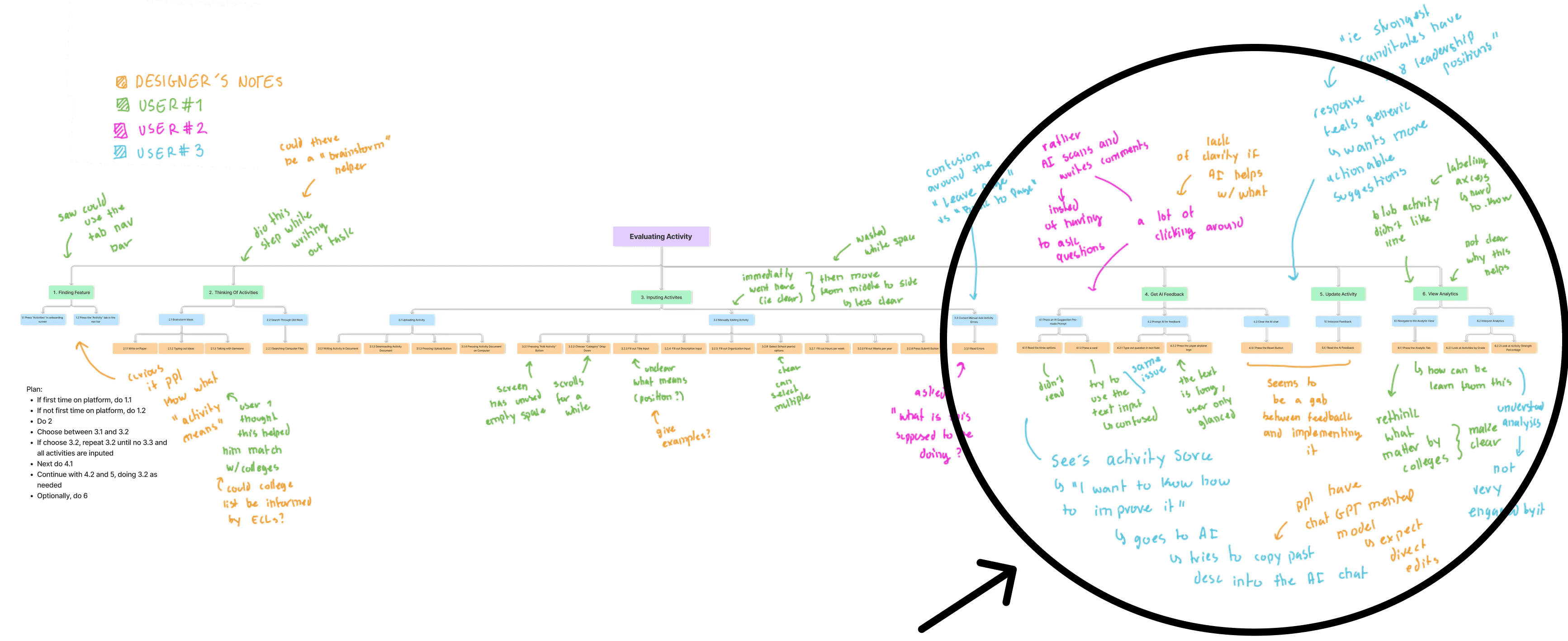
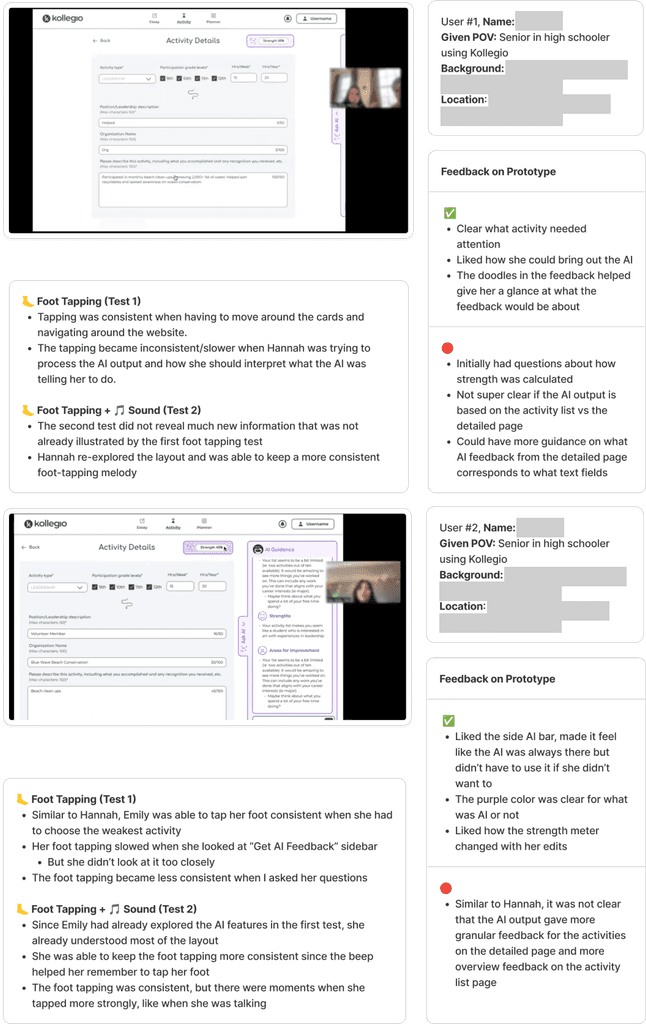
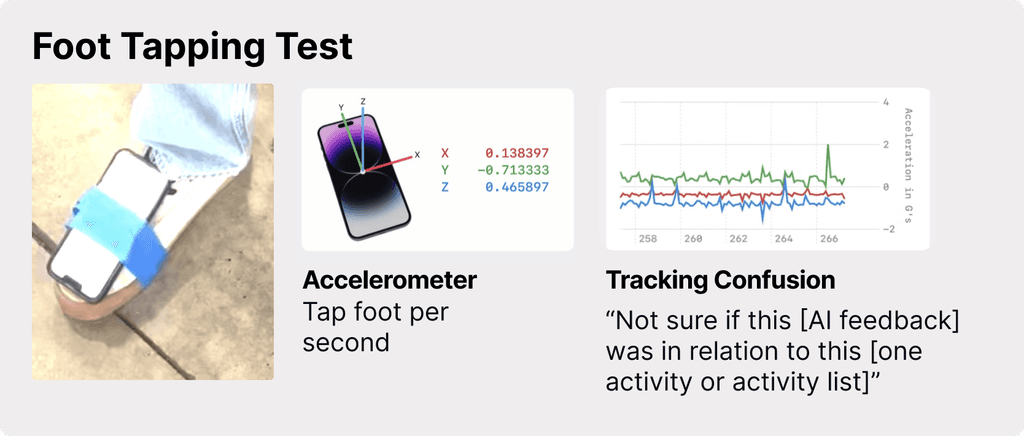
Annotated Task Breakdown of Evaluating Extracurricular Activities with 3 users
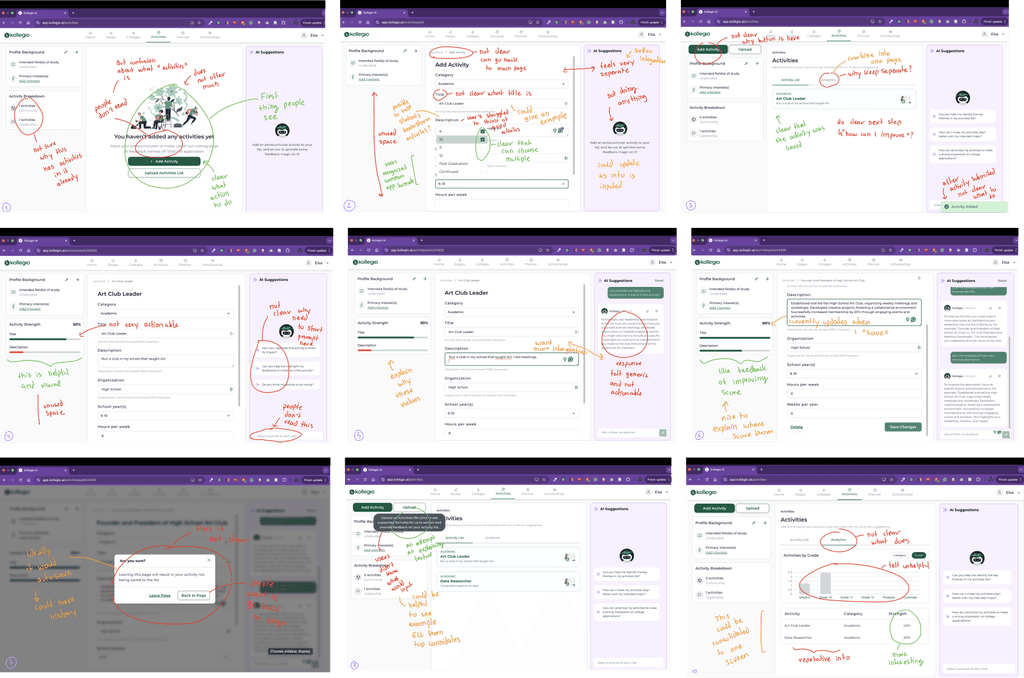
Parking List Of Usability Issues
• The AI text input field is not interactive (users must select a prompt card).
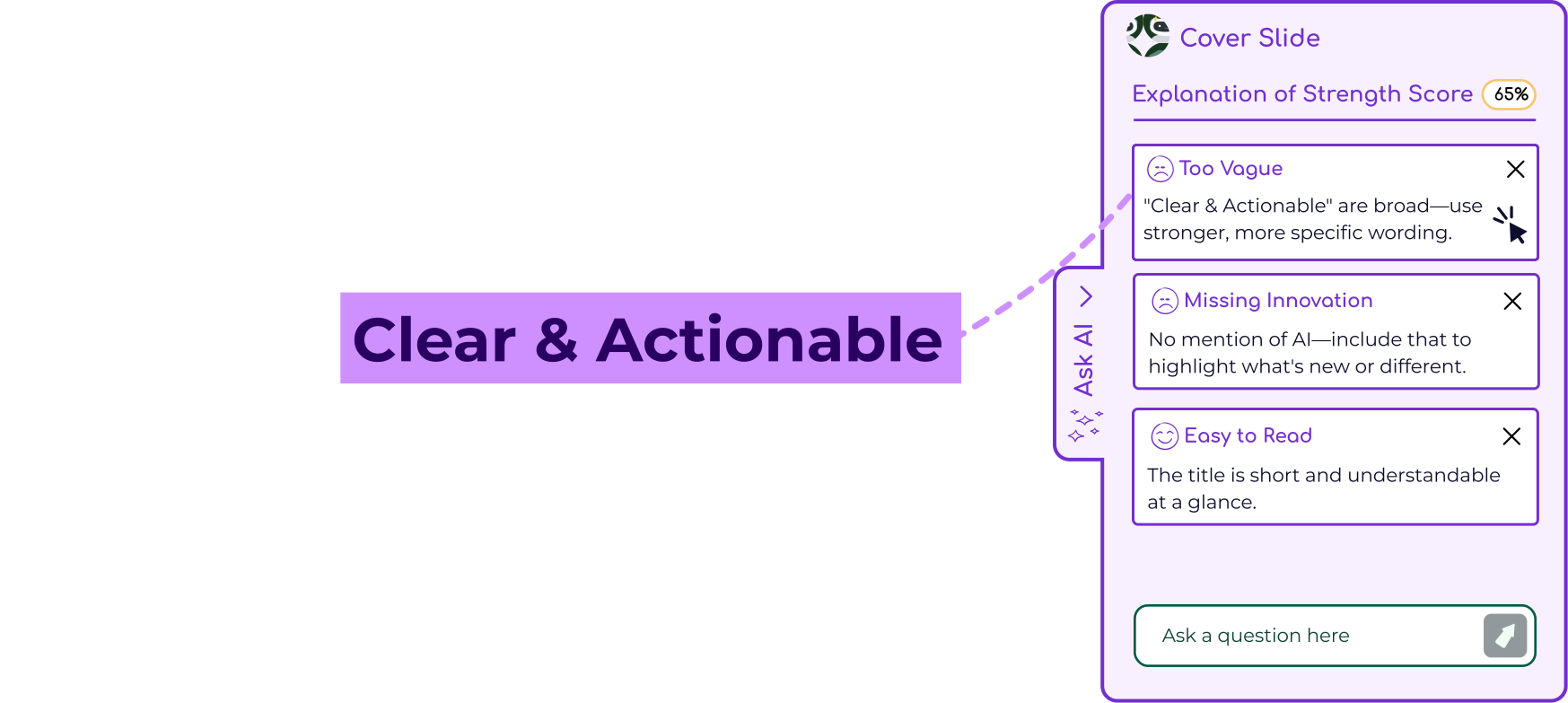
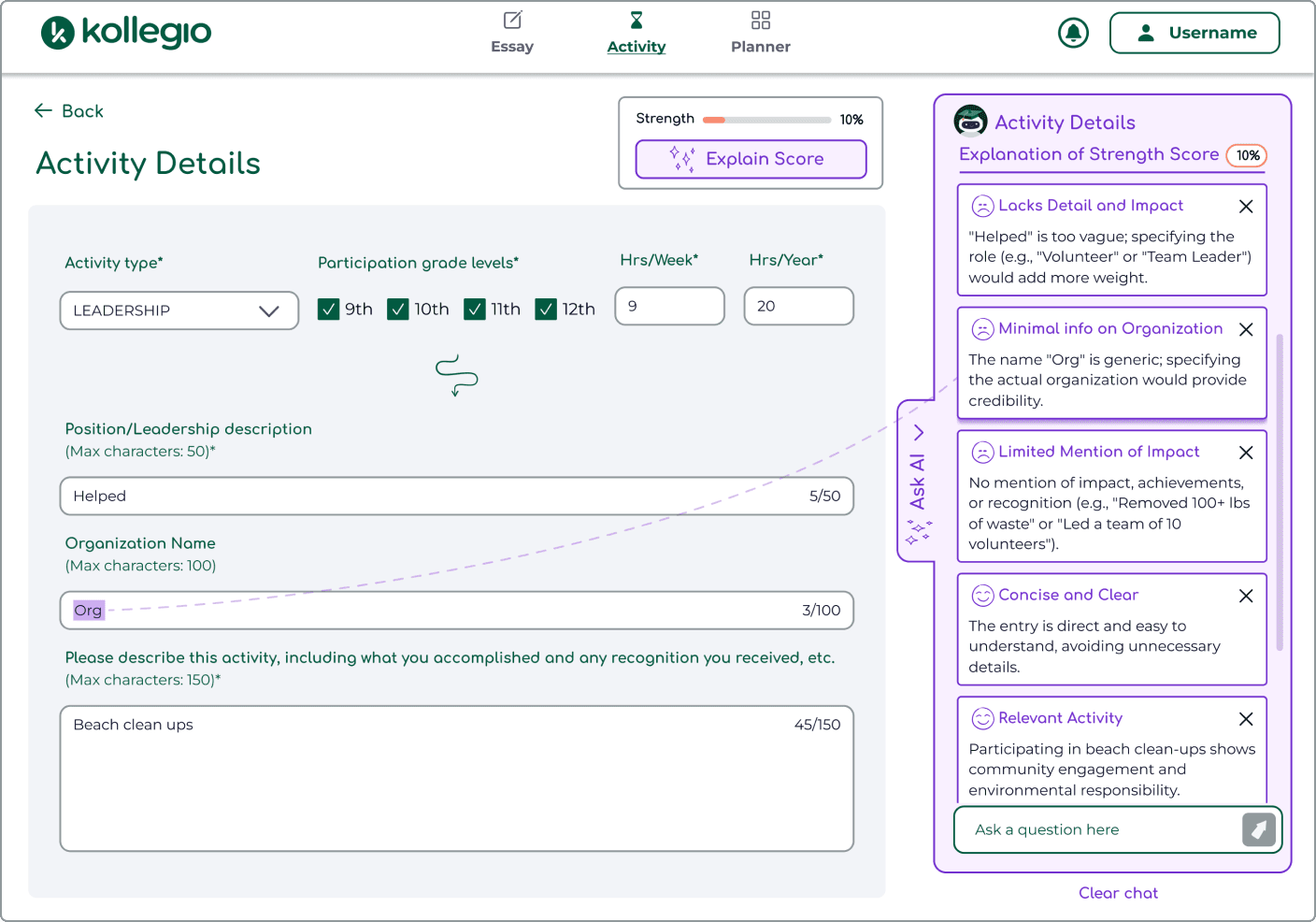
• The AI outputs feel vague and not actionable.
• There are no clear next steps after creating an activity.
• Users don’t understand how the strength score is calculated.
• Users don’t understand the purpose of the "Upload" button.
• The "Leave Page" button is unclear.
• The "Add Activity" button moves unexpectedly.
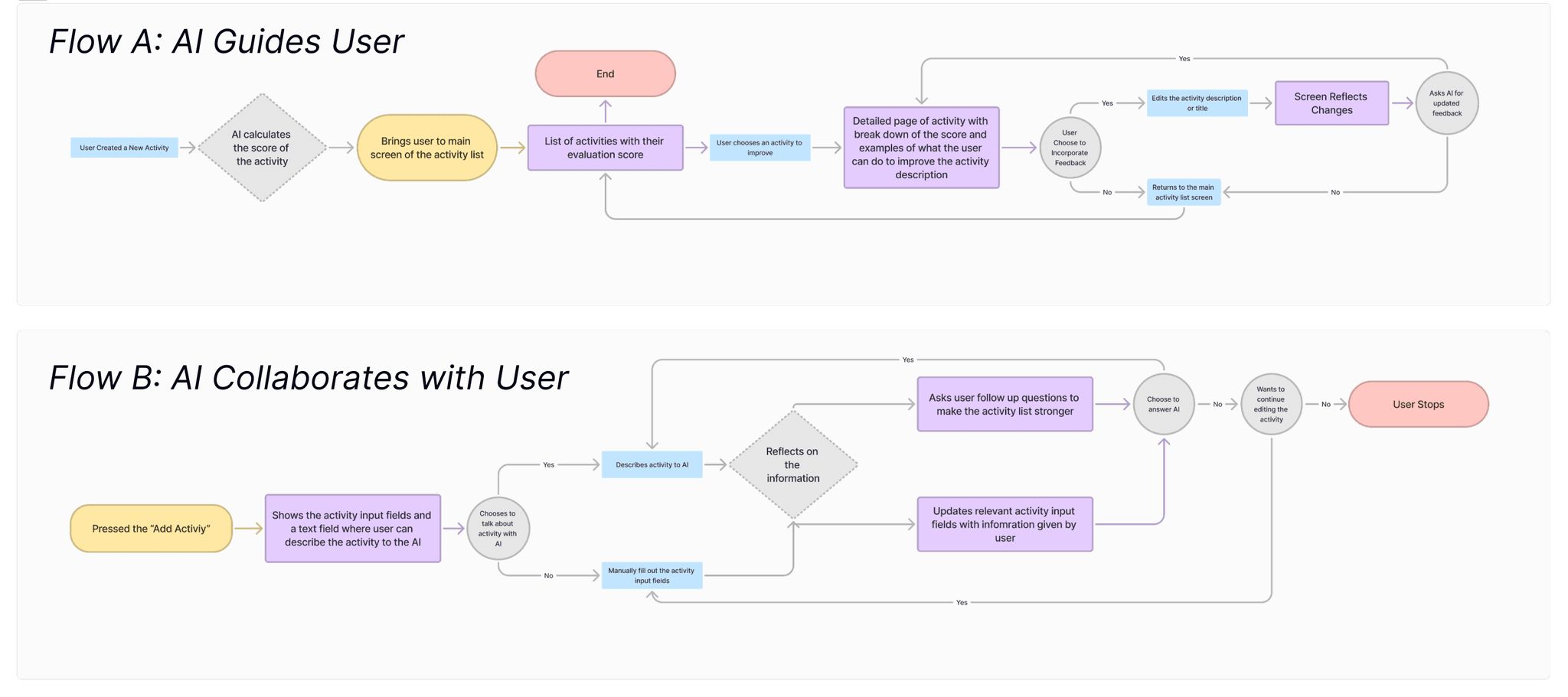
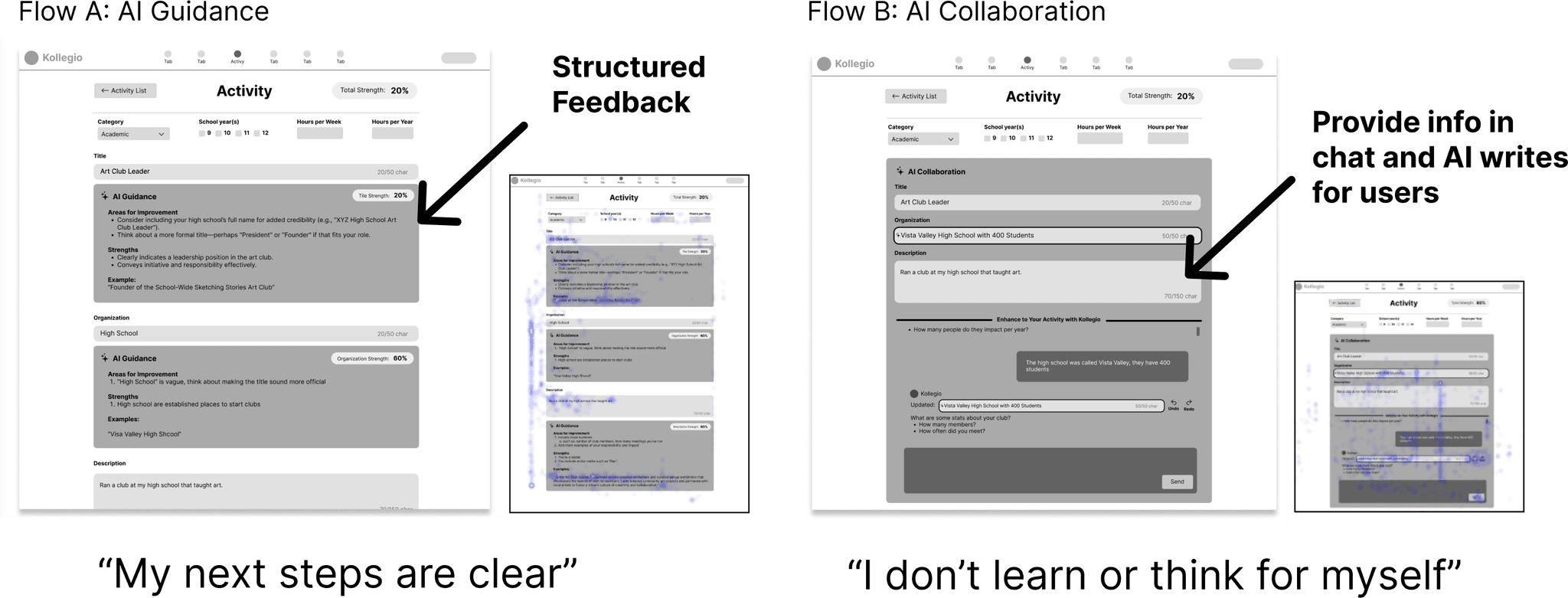
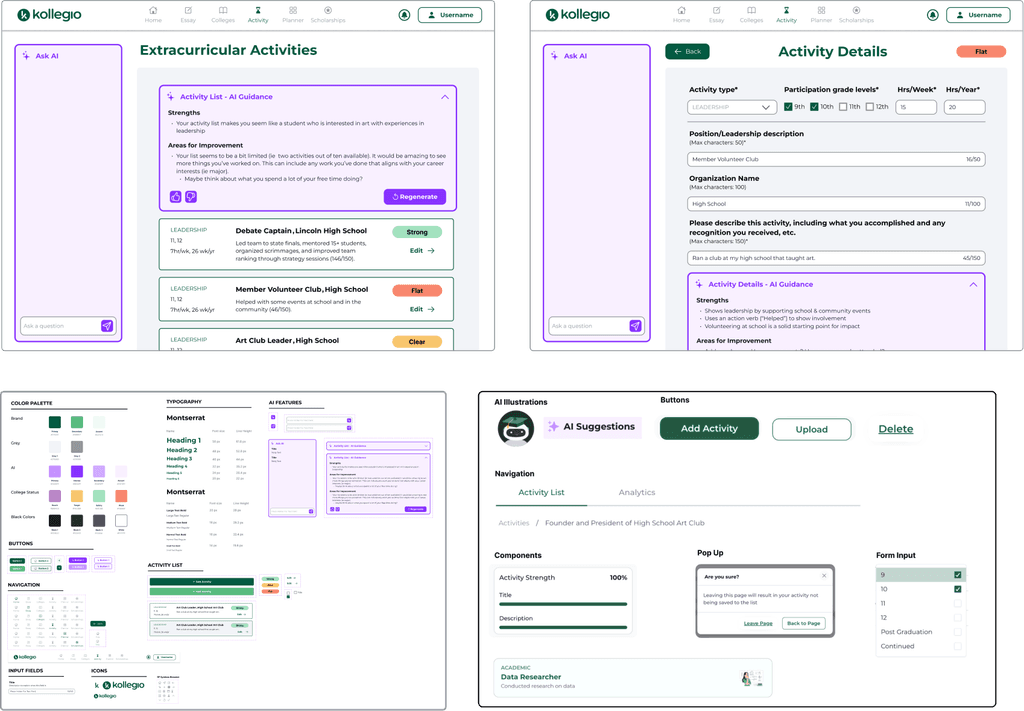
A/B Testing Question: Does AI guidance or collaboration better support students?
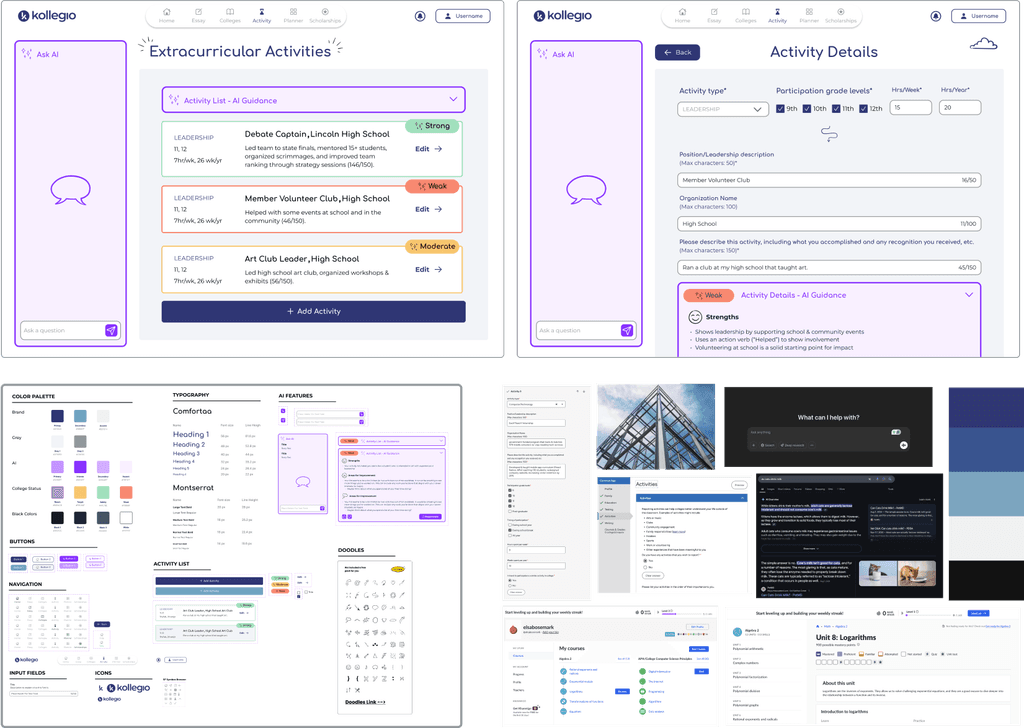
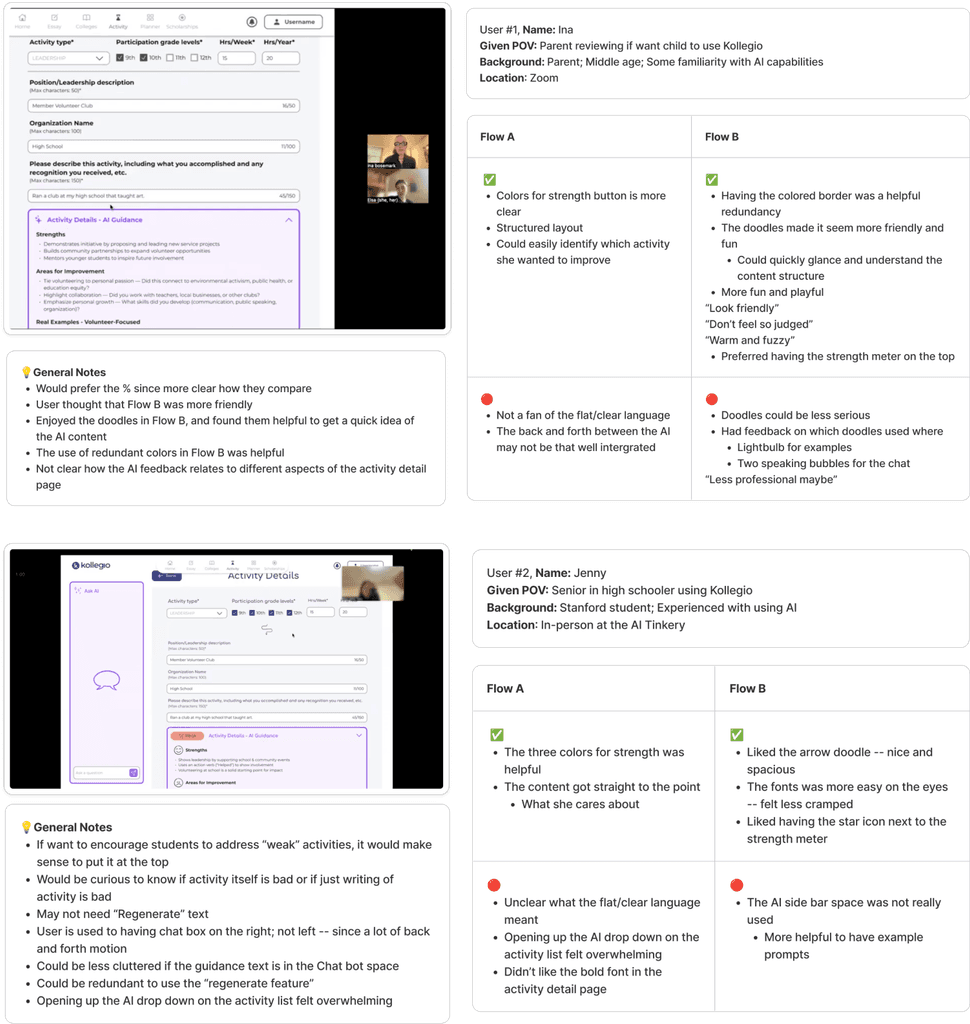
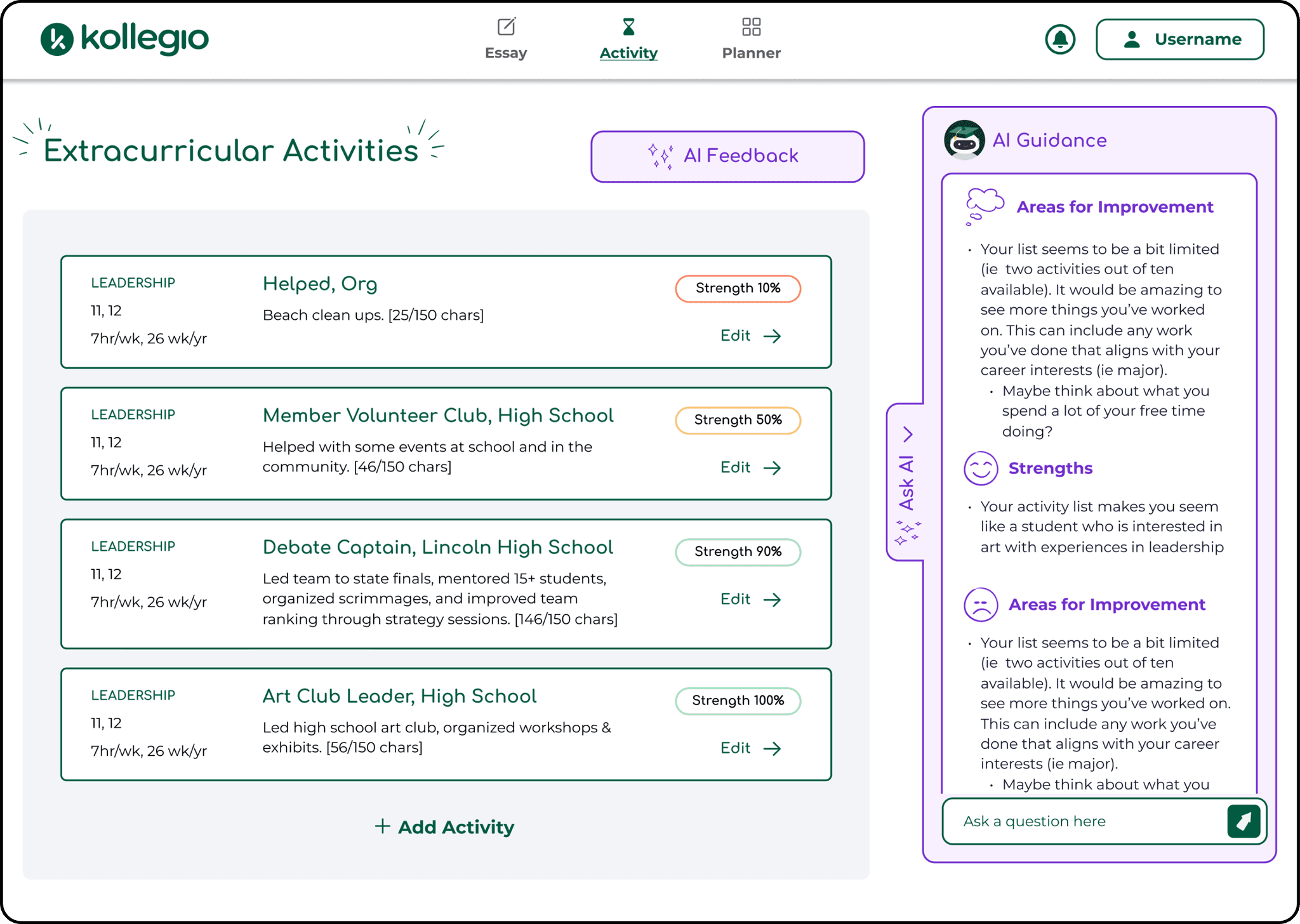
“[the strength meter] colors helped when word choice didn’t”
“The faces help quickly orient me in the feedback”
AI Feedback Button
Color Adjustment
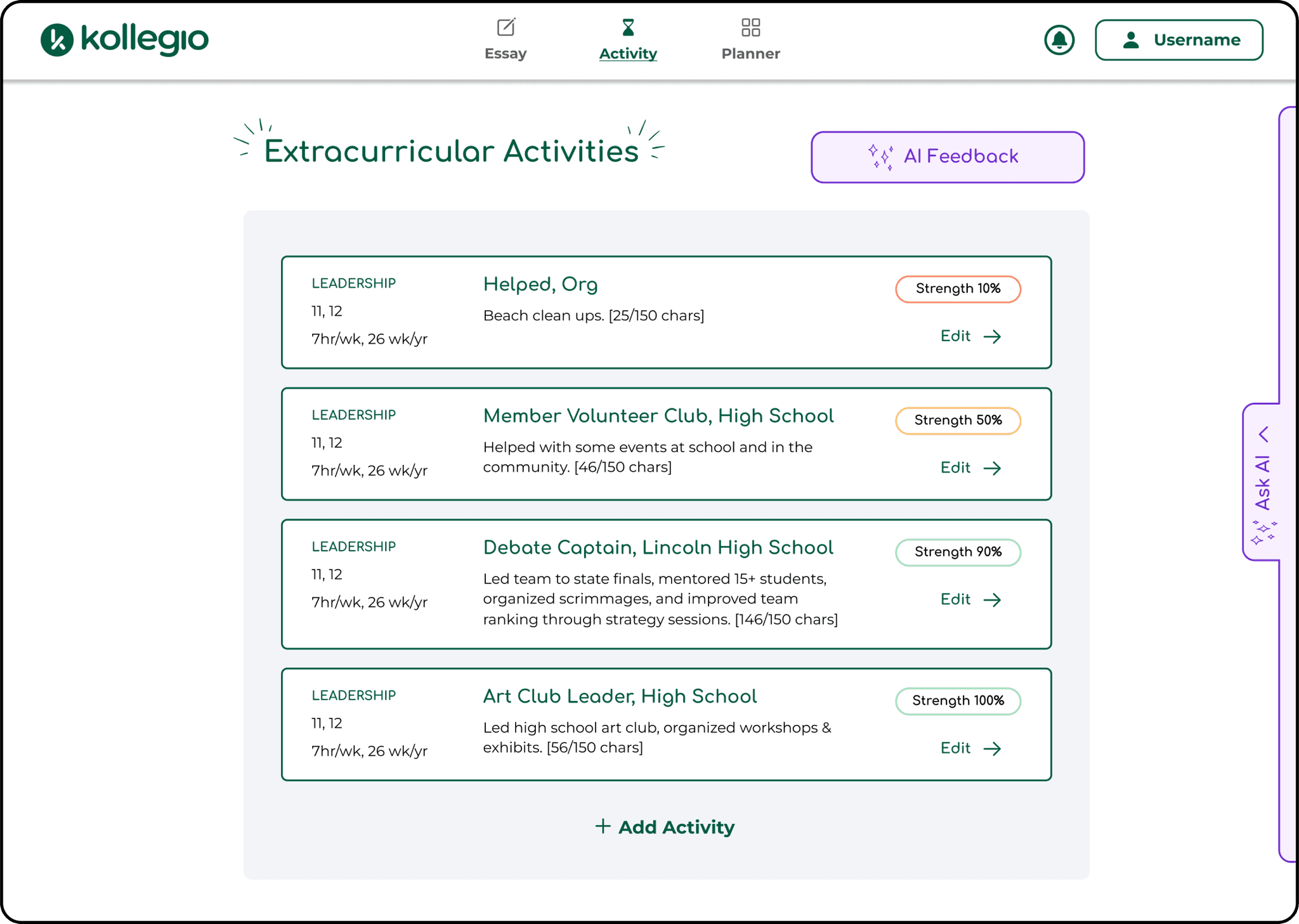
Minimize AI Panel
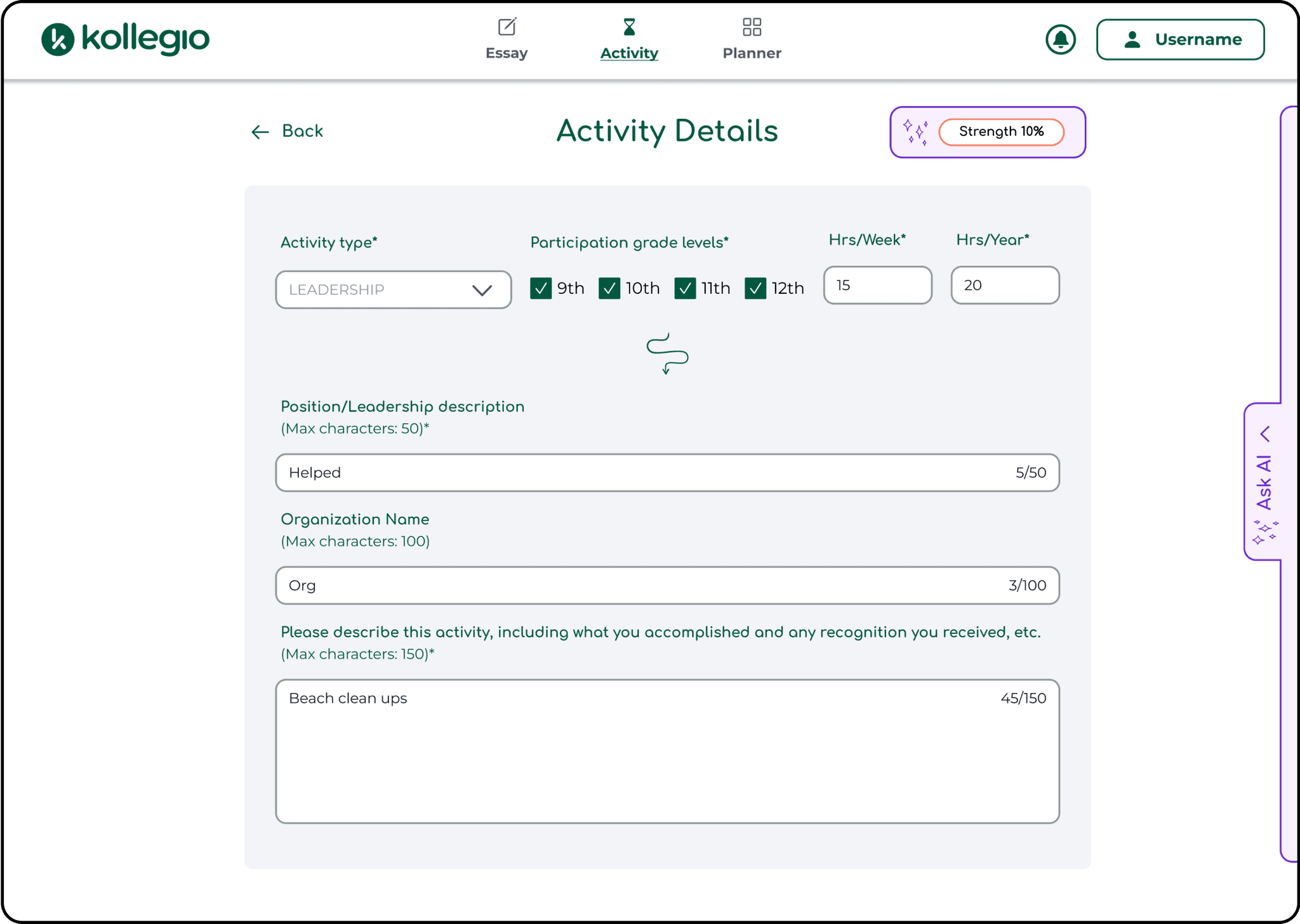
Color Adjustment
One of the key processes during the accessibility audit was checking that colors had enough contrast.

Figma Library
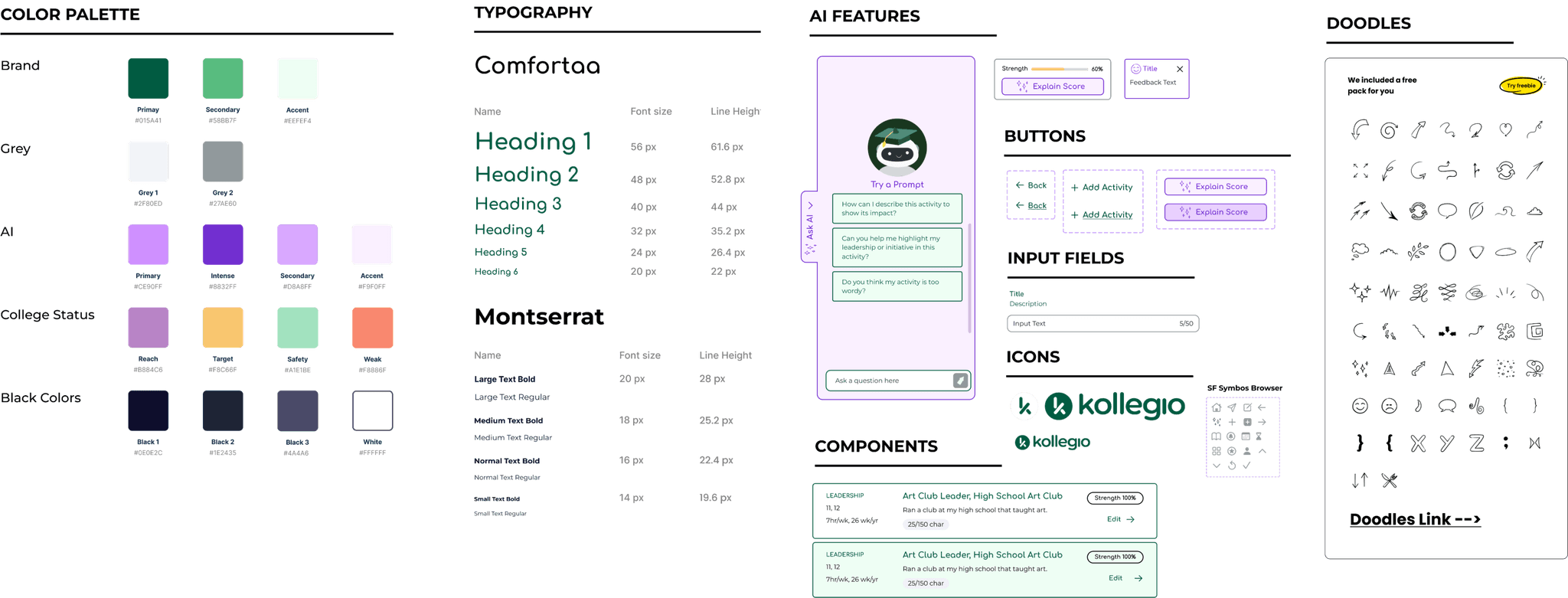
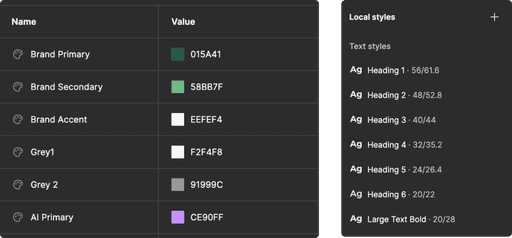
I created system variables in Figma for the colors and typography using the style sheet.
About
I’m from San Francisco and enjoy woodworking, creating urban watercolors, and practicing martial arts. Fun fact: I have four shrimp as pets! 🌱🦐
Contact