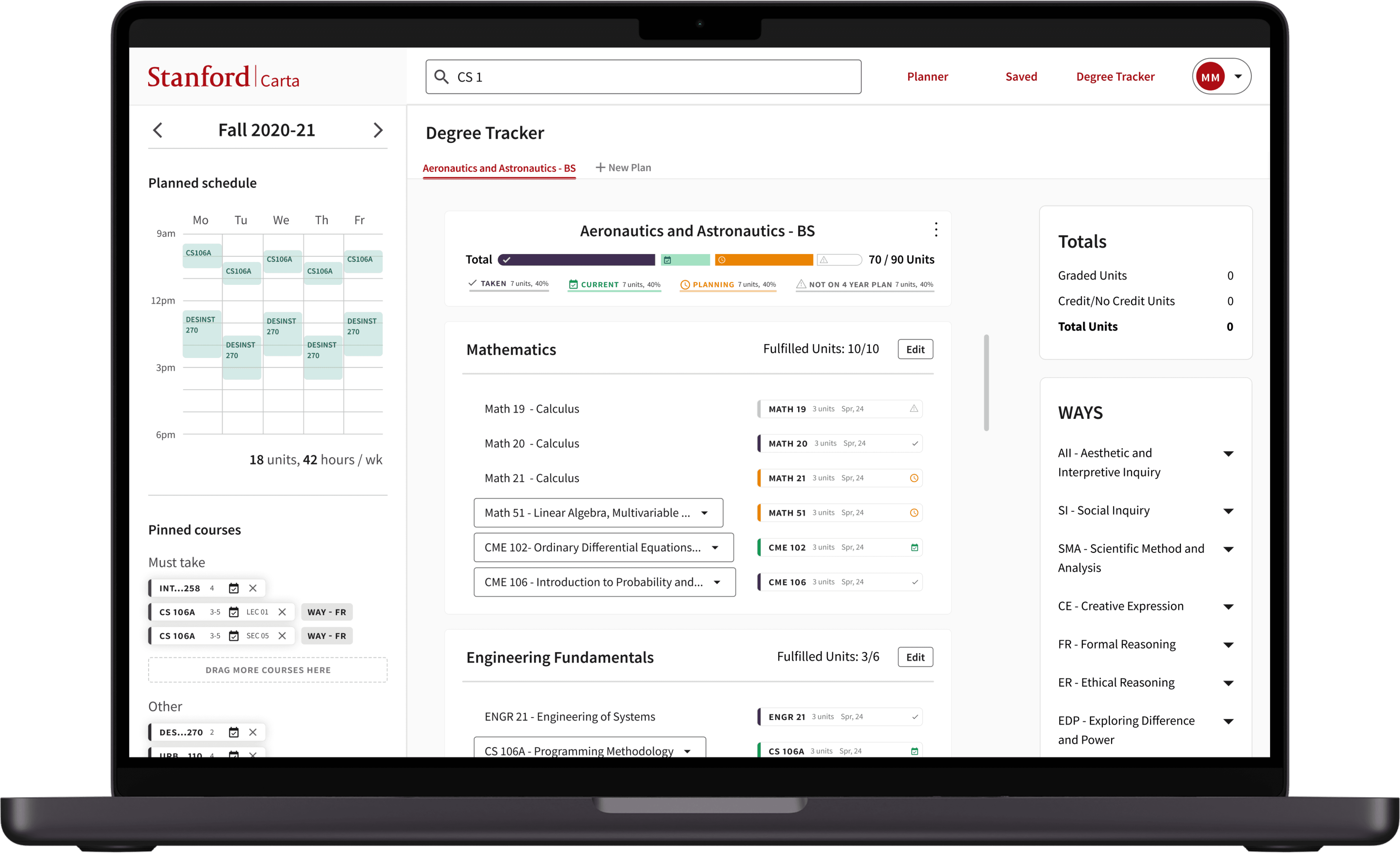

Researched and iterated a new feature for Stanford’s course planning platform.
UI/UX Designer
10 weeks
Interviewing, UI Design, Documenting, Collaborating
Figma, Google Doc
Scroll for More
Stanford students face challenges in tracking their degree progress due to fragmented information across multiple websites. The lack of a centralized, up-to-date resource makes it difficult for students to monitor their completion status, leading to missed required classes and poor planning of their academic schedules. As a result, students struggle to effectively plan their four years of study to ensure timely and comprehensive fulfillment of all degree requirements.
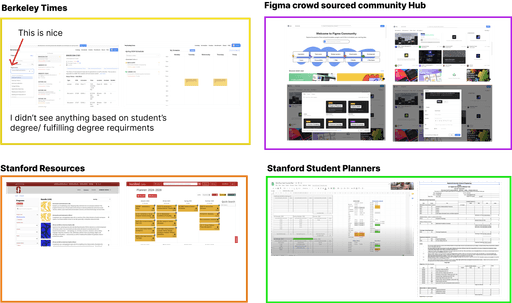
I conducted interviews with six stanford students, including first-years, juniors, and seniors. The participants varied in their course planning approaches, with many using tools like Google Docs, spreadsheets, and course catalog tools (such as Carta and the Stanford Bulletin). Some students planned as far ahead as two years, while others planned just a few weeks in advance.
Too Many Tabs and Copy-Pasting
Students were frustrated with the need to constantly switch between tabs and manually copy-paste information into their own documents, making degree planning feel tedious and repetitive.
Color-Coded Four-Year Planner
Many students use color-coded systems to organize their four-year plans, helping them track core and elective courses. They desired better integration between their four-year planner and degree planner to easily see how their courses align with degree requirements.
"What If" Experimentations with Majors
Students appreciated being able to experiment with different majors while planning their courses but found existing tools lacked the flexibility to easily explore and compare various academic paths.
HMW reduce the need for online scavenging to find degree requirements, minimize redundant tabs and copy-pasting, and simplify the overall process?
HMW improve the four-year planner to provide more detailed information about degree progress?
HMW we make it easier for students to experiment with different majors?
Allow students to select any major and automatically upload all its requirements to Carta.
Automatically update the four-year planner to show which requirements have been satisfied by existing courses.
Enable students to choose multiple majors and display a progress bar indicating completed versus required courses.
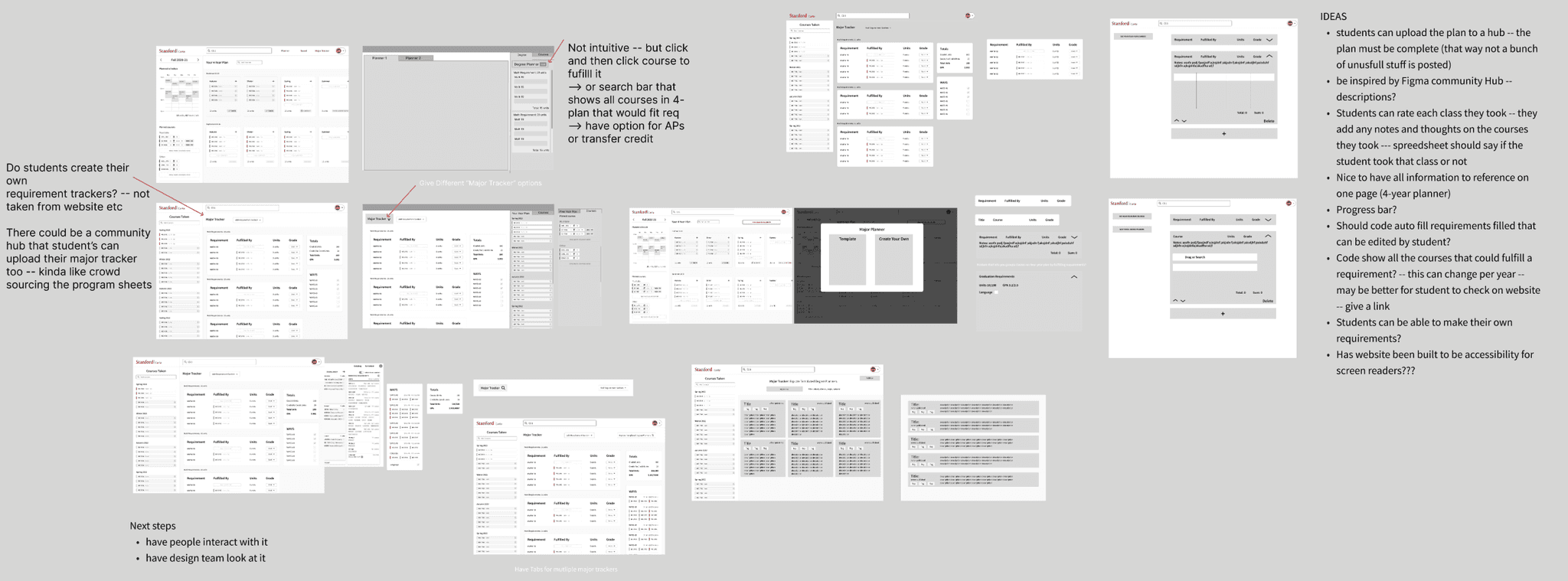
Low Fidelity
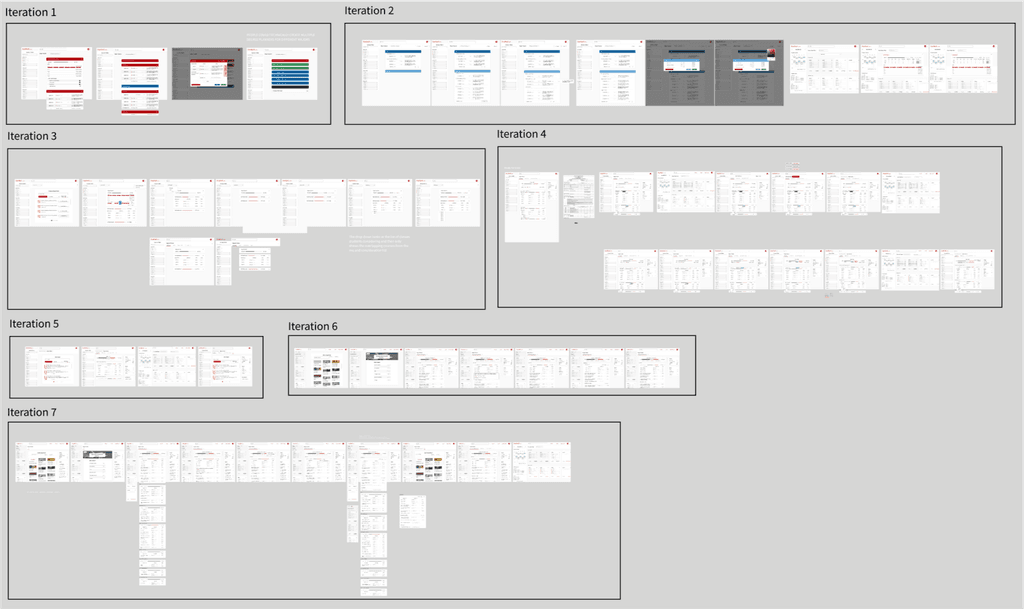
High Fidelity
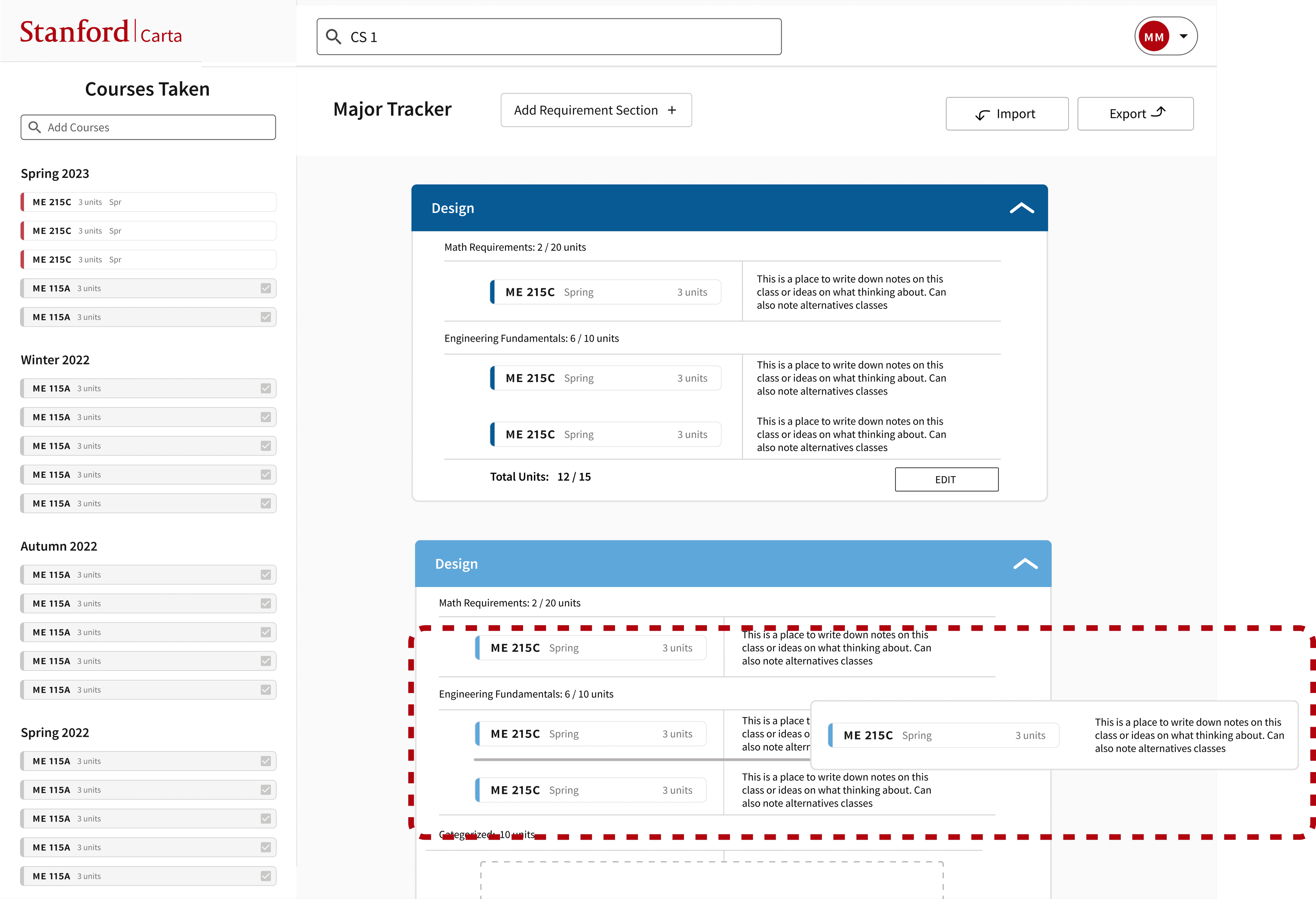
Select Options instead of Drag & Drop
Before - Drag & Drop
After - Drop Down Selection
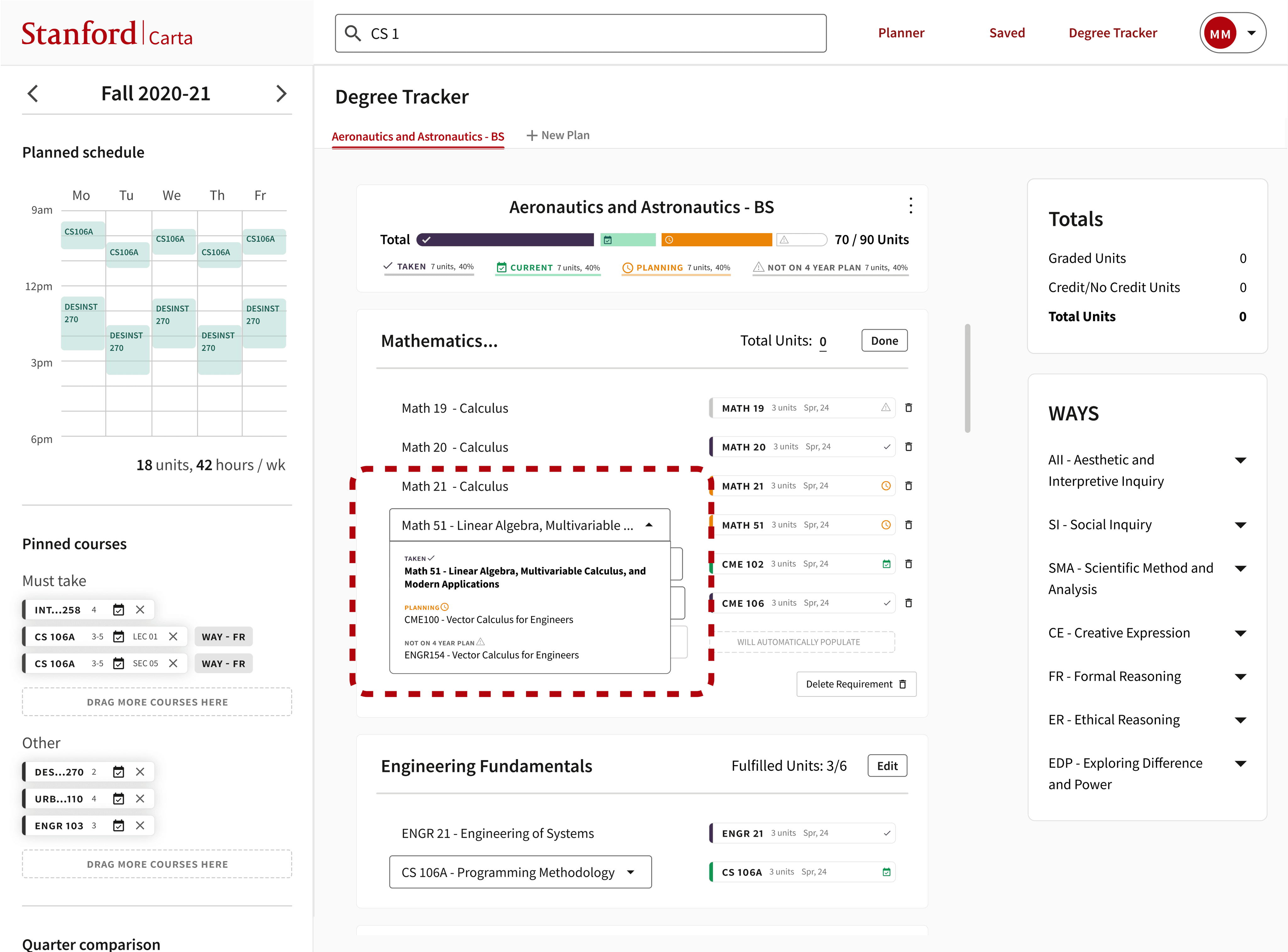
After consulting with Stanford's Office of Accessibility, I learned that drag-and-drop is not an ideal interaction for users who rely on keyboard navigation. Additionally, studies show that people prefer selecting from a set of options rather than generating their own choices. This insight was reinforced by user testing and led to a new UI design that offers students a list of possible classes to fulfill each requirement, allowing them to select from pre-defined options.
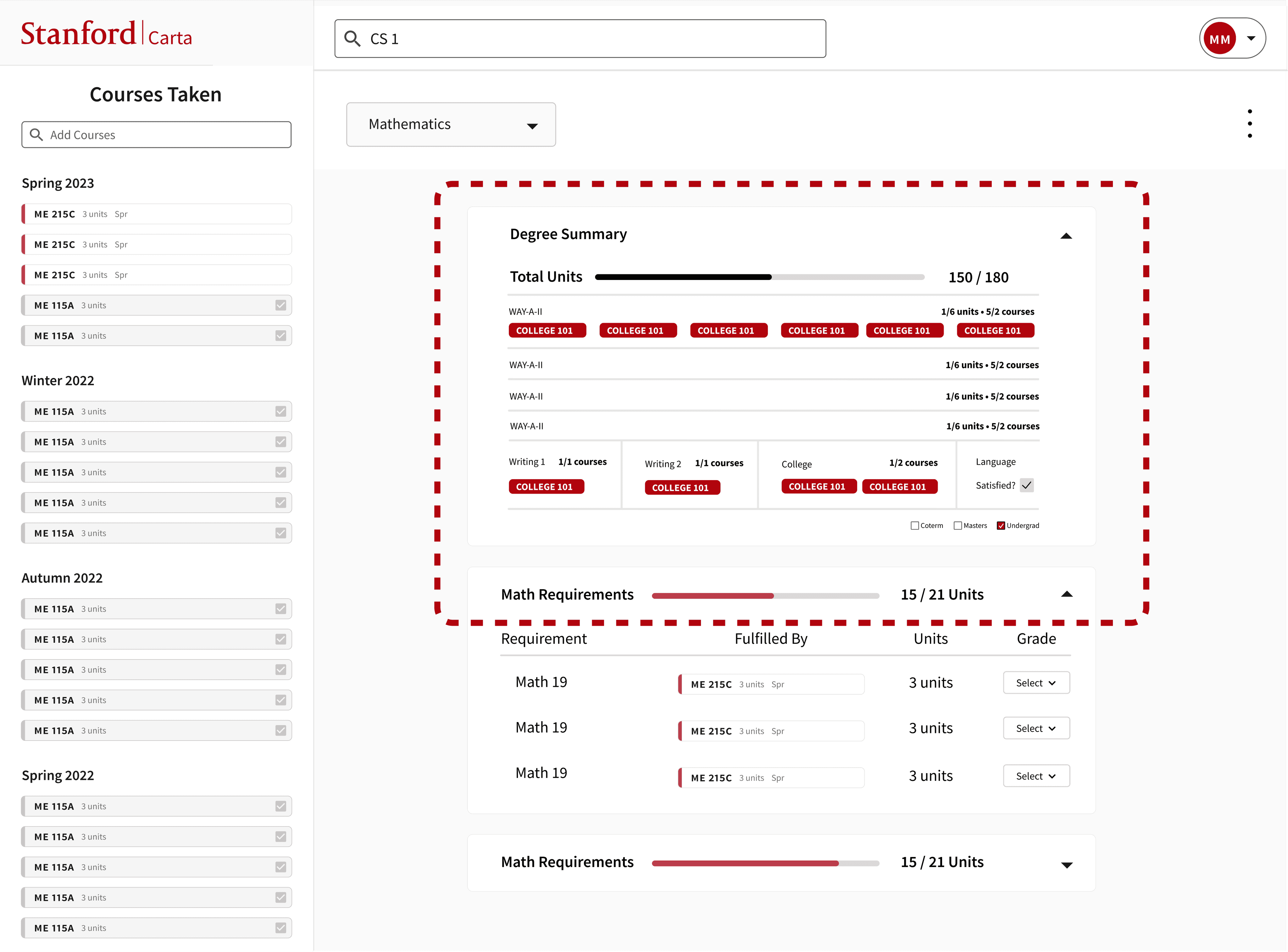
Keeping it Simple
Before - Dense Info
After - Clear Progress Bar
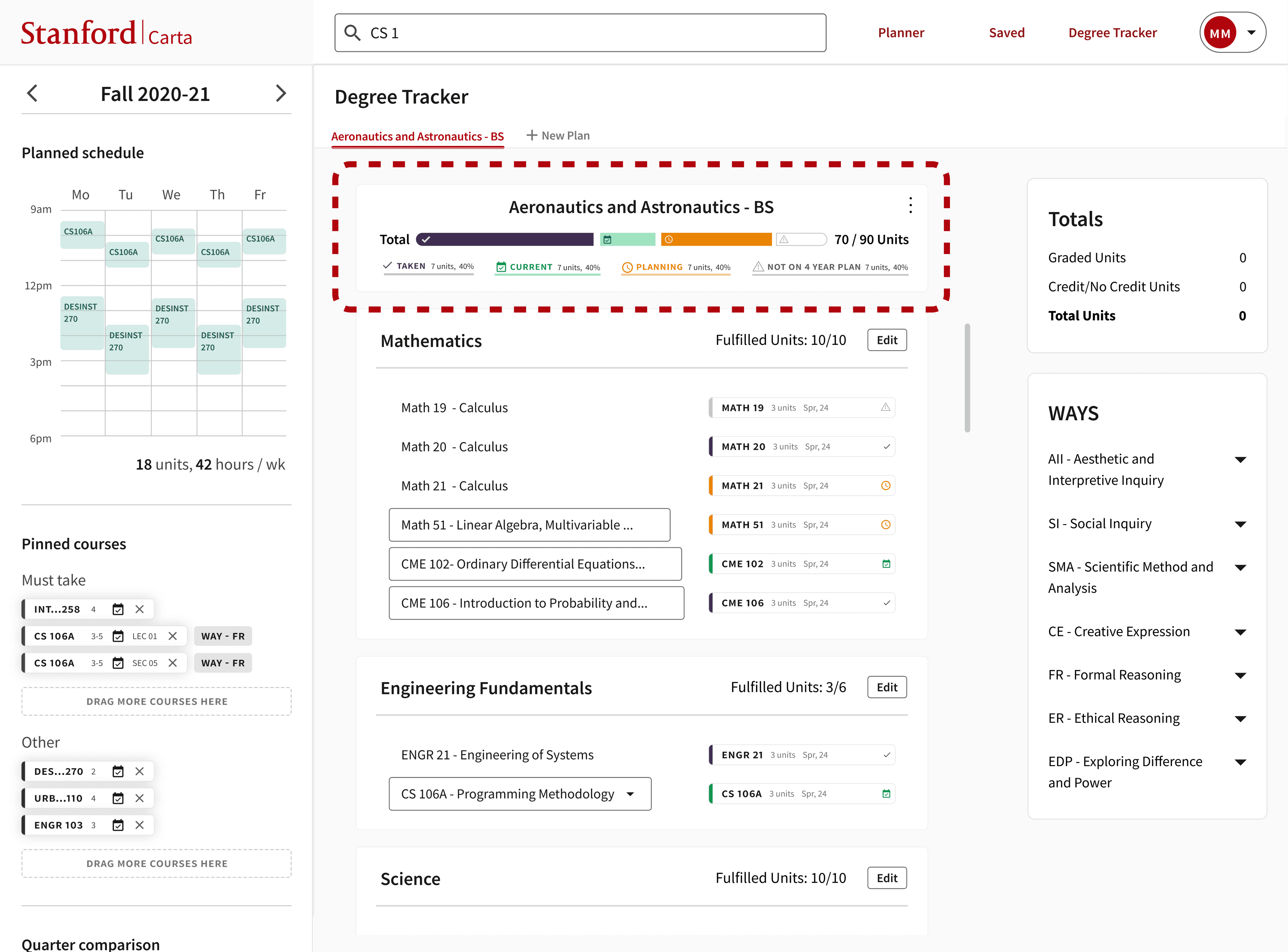
Research indicated that providing a way to track progress toward degree completion would be beneficial. I learned that progress tracking should feel actionable, so showing how much has been completed versus what is planned and unplanned can help students as they work to fulfill their degree requirements. The old design included a lot of information that wasn't always relevant to students, so in the new design, I moved less critical information to the side. This allowed the main focus (middle content) to be more prominent and central for users.
Quick Access
Before - Three Dots Icon
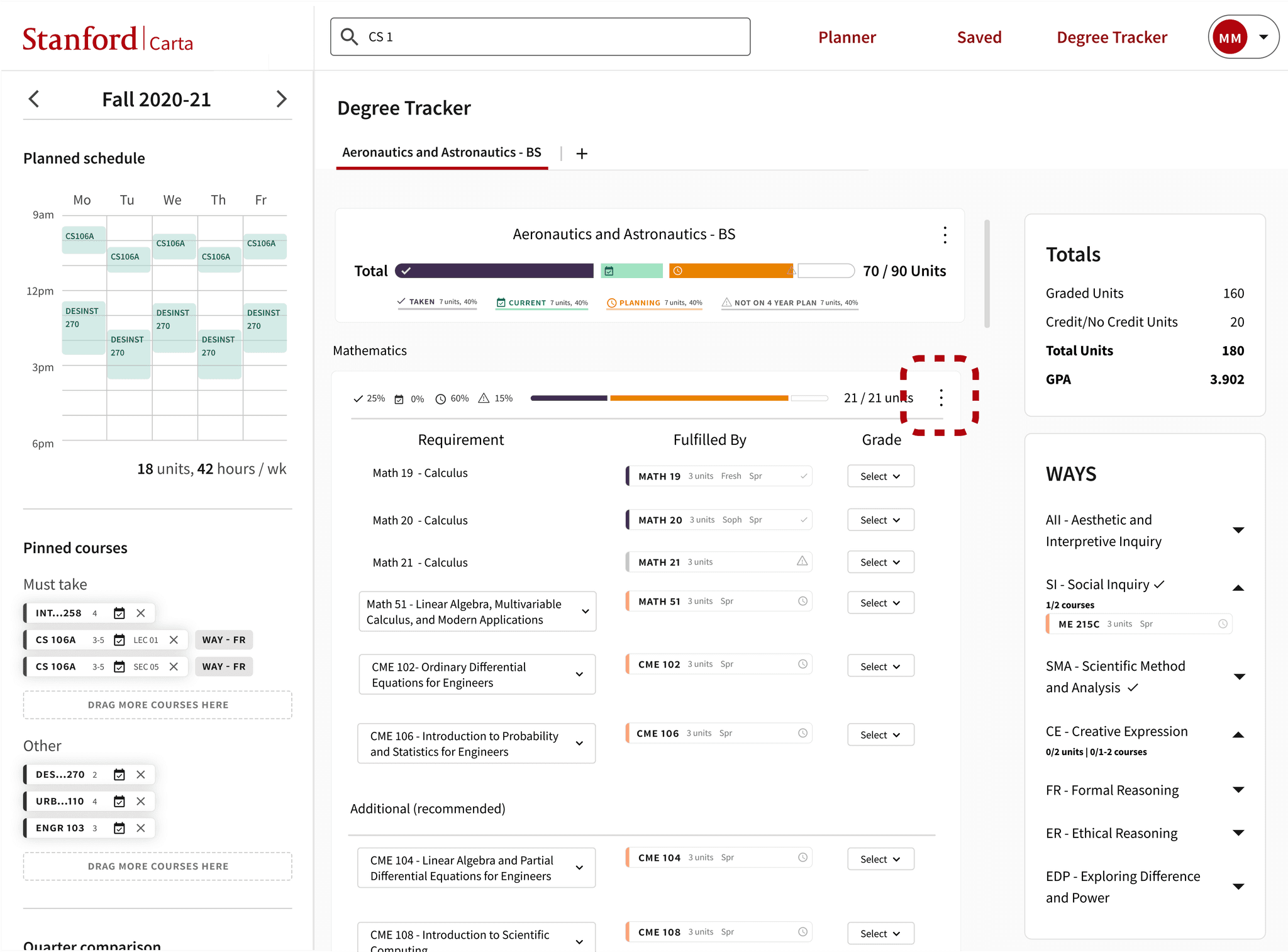
After - Edit Button
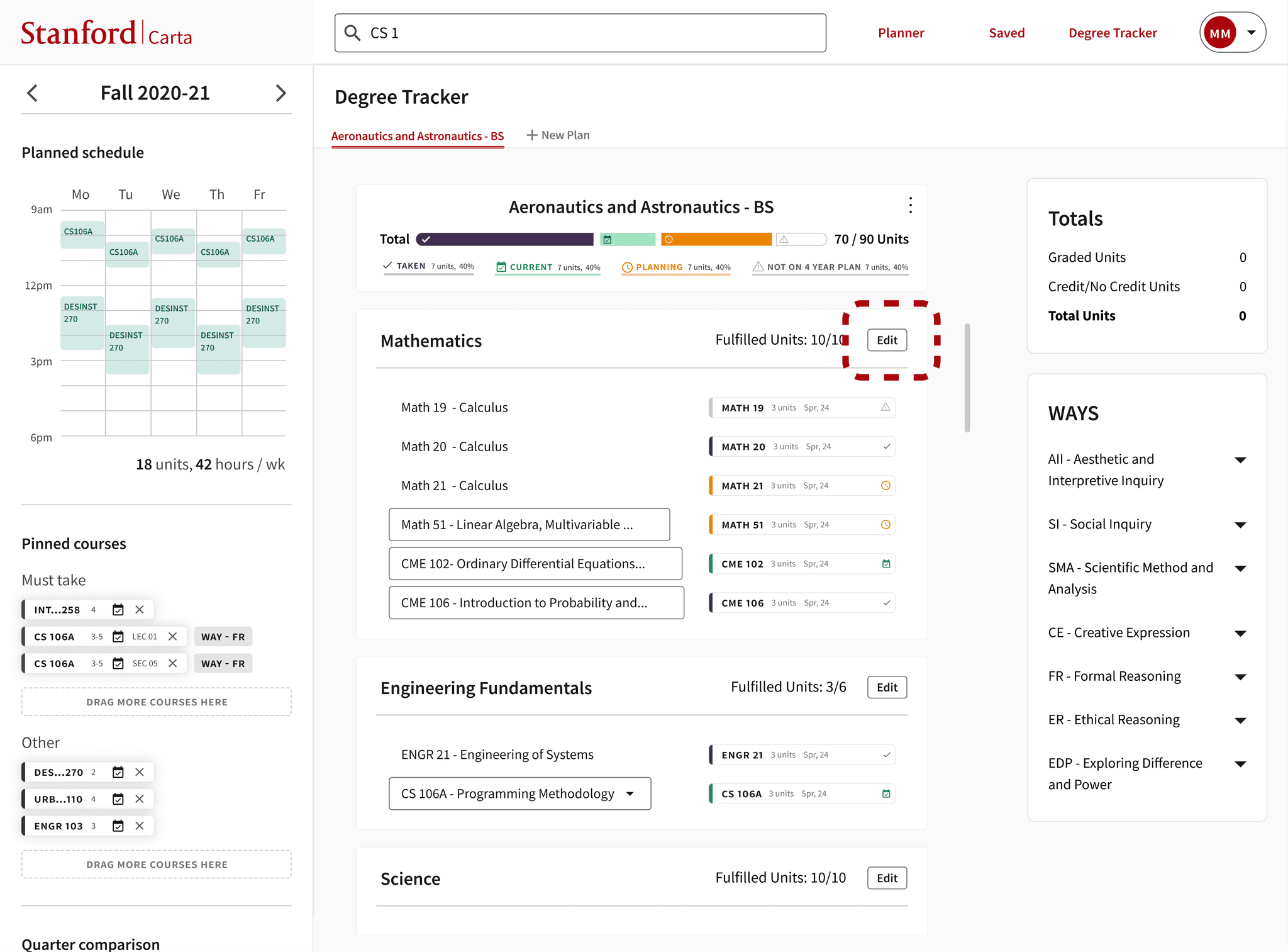
Initially, I used three dots on each requirement to allow users to edit, aiming for a cleaner aesthetic. However, this approach required multiple clicks to access the edit mode. Given that students frequently need to edit requirements, it was important to make the edit option more visible and accessible. While I initially considered using an edit icon, testing showed that a text "Edit" button was more intuitive and easier to interact with. Although this choice sacrificed some visual sleekness, it significantly improved the user experience and usability, which was a worthwhile trade-off.

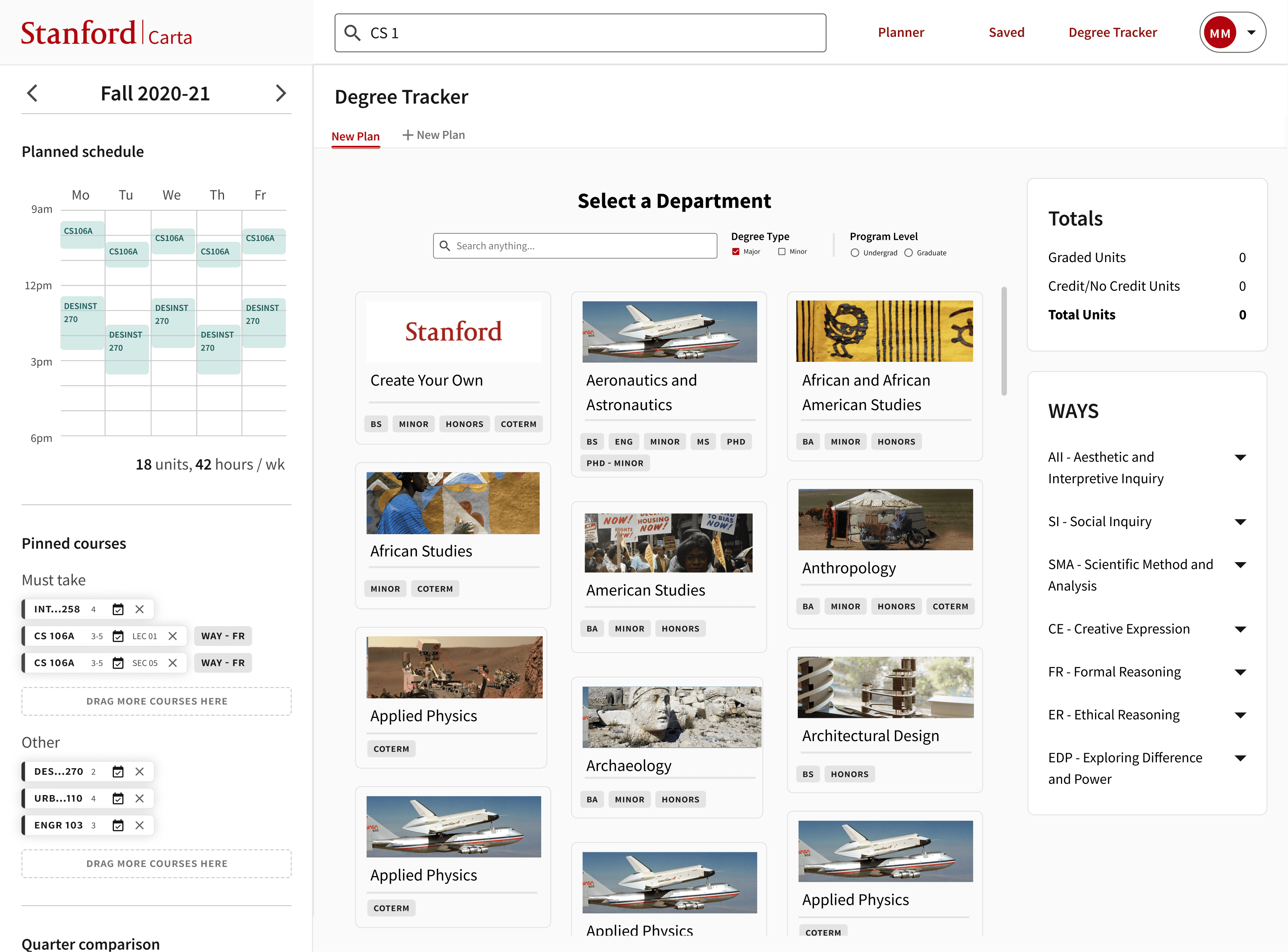
Find Degree: Choose degree and have degree requirements and current progress automatically filled out
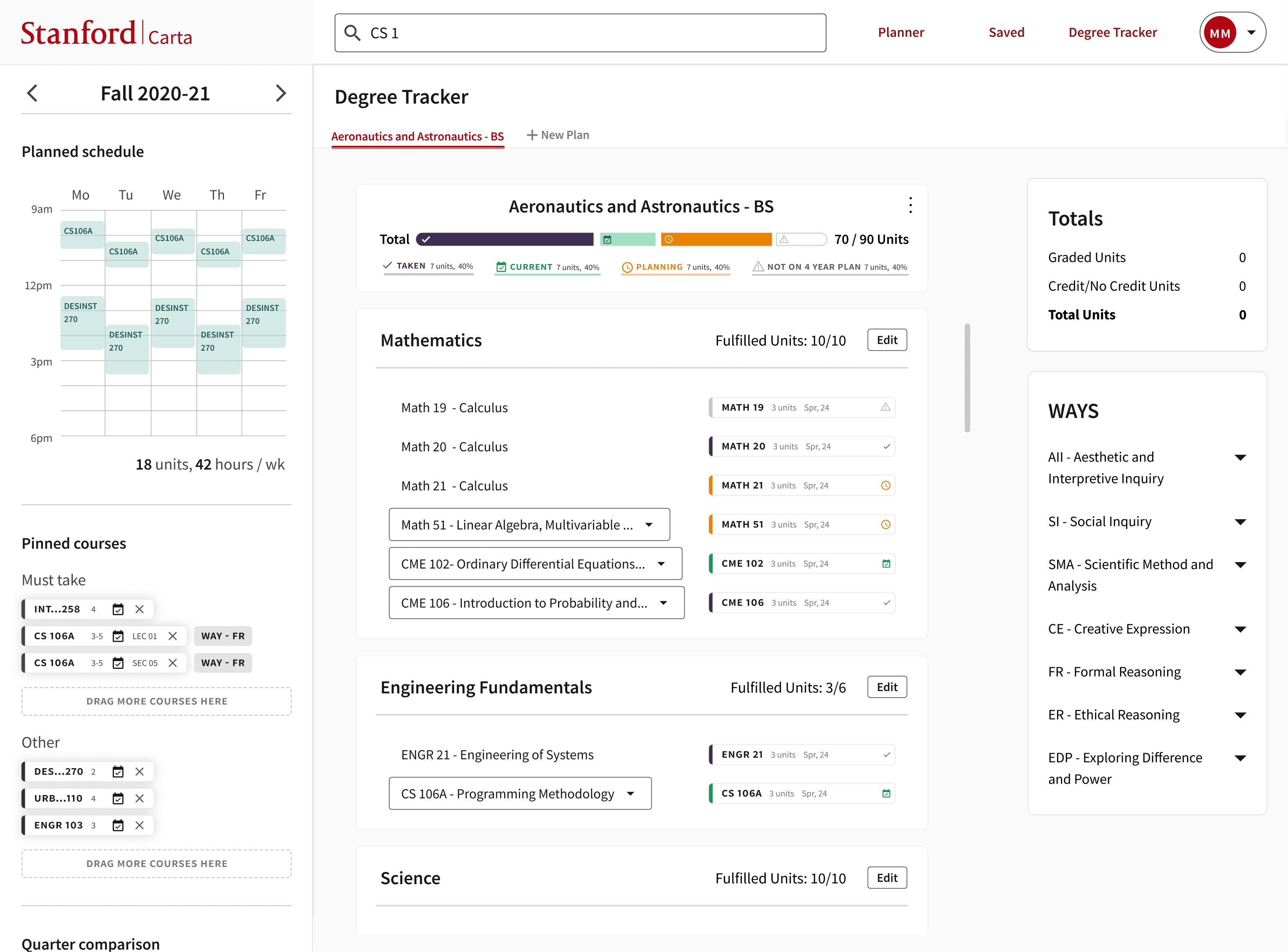
View and Edit Degree Progress: Customize degree plan by editing requirements to fit needs. Track WAYS and unit count requirements.
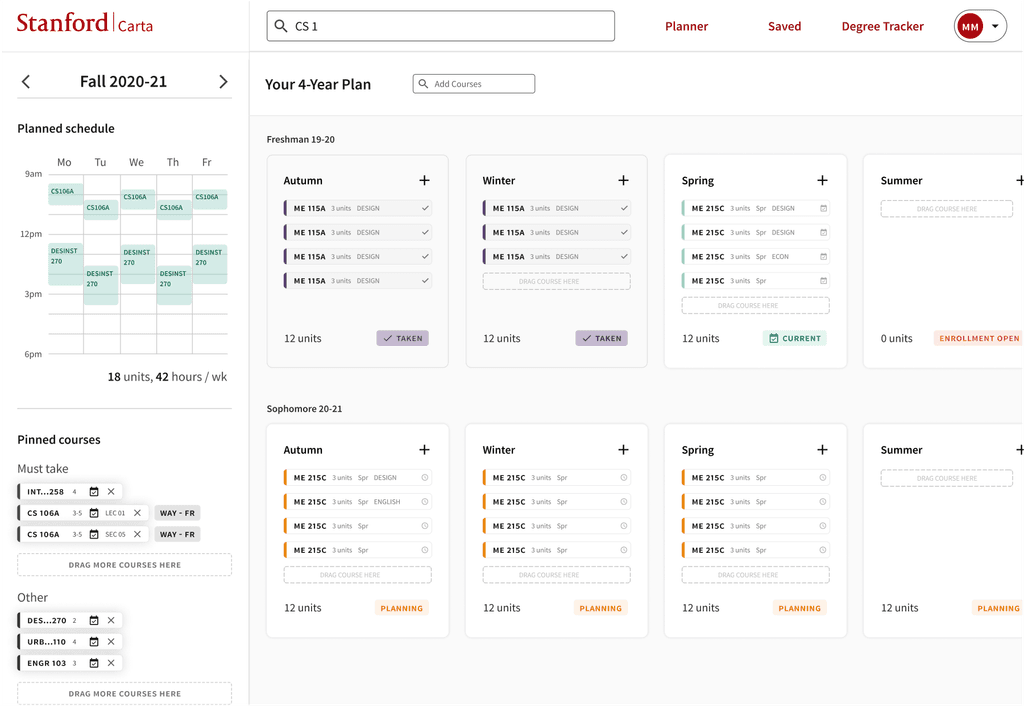
Four Year Planner Integration: Easily identify which classes in four year planner contribute to a degree.
I document key design decisions and flows, making it simple for engineers to understand and implement the designs. This approach streamlines collaboration and execution.
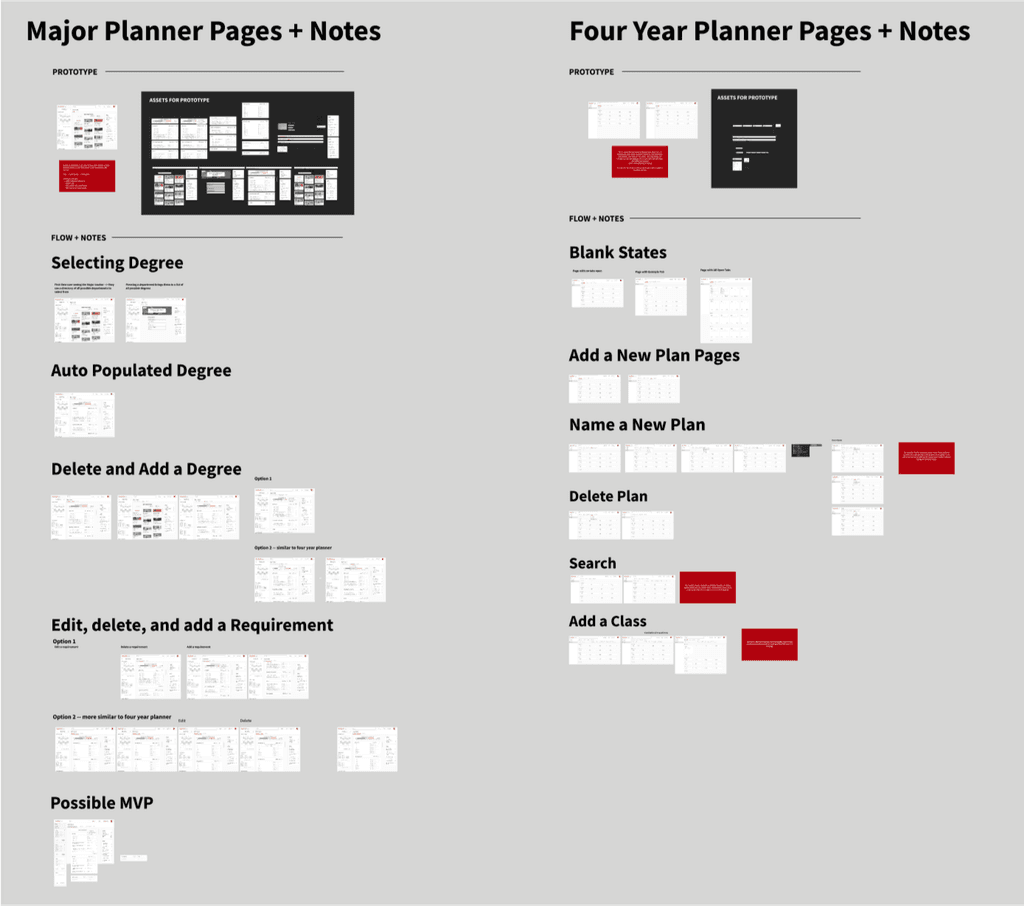
I kept the project separate from the four-year planner because another designer was working on that part. However, I now think that combining everything into one space might be more effective. If I had more time, I would explore designs that better integrate these two aspects, creating a more unified experience.
I also want to improve the site's accessibility. While I ensured that symbols were used instead of relying solely on color to convey meaning, I'm less confident that the interface is fully optimized for screen readers. One reason I moved away from drag-and-drop functionality was that it can be difficult to use with tab keys, which are essential for keyboard navigation.
User research is a crucial part of the design process. It was challenging because I was tempted to base decisions on my own experiences. However, through interviews, I discovered that there are many different ways people approach degree planning. Instead of designing my ideal solution, I focused on capturing common frustrations shared in the interviews and discussions. This helped me avoid letting my personal opinions and experiences overshadow the needs of the users.